
JSON Diff
Paste the original and the changed JSON to see exactly what differs. The tool parses both documents, walks the structure and lists every added, removed and changed value with its JSON path — ignoring key order and whitespace, so only real data changes show. Nothing leaves your browser.
- Free to use
- No sign-up
- Runs in your browser
Compare JSON
| Change | Path | Original | Changed |
|---|
API Change Review Kit
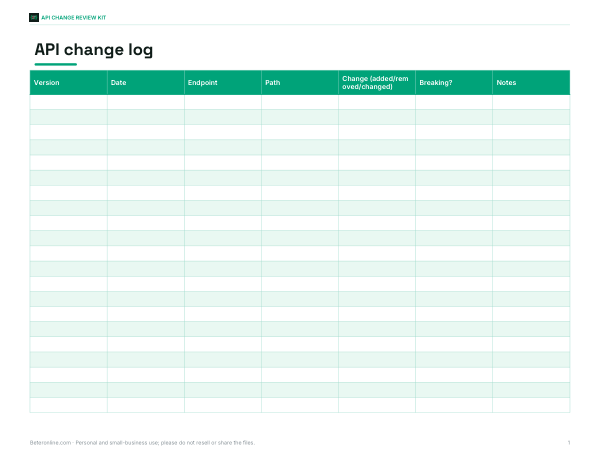
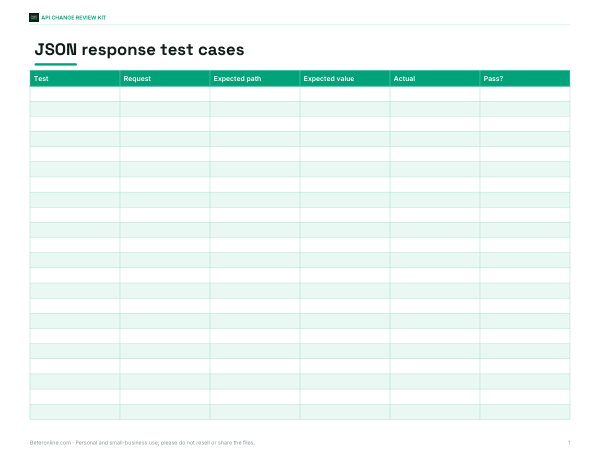
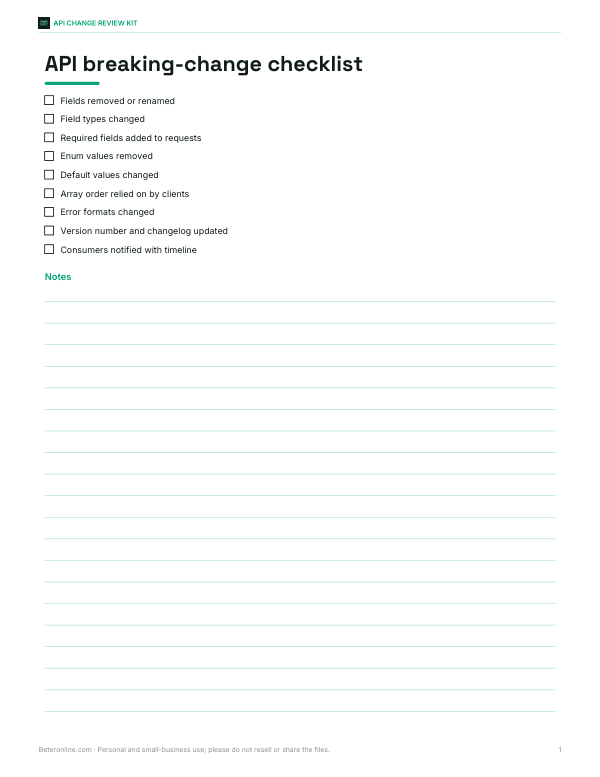
API change log workbook, JSON response test case template, API versioning and breaking-change checklist, and a review sign-off sheet.
- API change log (XLSX)
- Test case template (XLSX)
- Breaking-change checklist (PDF, DOCX)
- Review sign-off (PDF, DOCX)
Formats: XLSX, PDF, DOCX. Instant download after payment (link valid 72 hours, up to 5 downloads). AI-assisted: the templates were drafted with AI help and reviewed and laid out before publishing.
$4.00 USD, one-time 4 files · about $1.00 each
- Instant download
- 7-day refund
- Secure checkout by Stripe
7-day money-back guarantee. Full refund within 7 days of purchase, even after you download.
Free sample: API Change Log (PDF, 48 KB)
Full refund within 7 days — see the refund policy and license.
Free printables
Single sheets you can print right now, no sign-up. The full pack adds every sheet in one download plus the editable files.
 Printable API Change Review Sign-Off
Why a structural JSON diff
A plain text diff compares characters and lines, so two JSON documents with the same data can look completely different if keys are in another order or the formatting changed. A structural diff parses both documents first and compares the data: objects key by key, arrays item by item, and values by type and content. The result is a short list of real changes with a path to each one, which is what you need when checking an API response, a configuration change or a data migration.
How to read the results
| Change | Meaning | Example |
|---|---|---|
| added | Key or array item exists only in the changed document | $.colors added |
| removed | Key or array item exists only in the original | $.stock.store removed |
| changed | Same path, different value or type | $.price 349 → 379 |
Paths use JSONPath-style notation: $ is the root, .name is a key and [2] is an array index. Keys with spaces or special characters are shown in brackets and quotes, such as $["unit price"].
Options explained
- Treat 1 and 1.0 as equal — JSON numbers have no separate integer type; this avoids reporting 349 vs 349.0 as a change. (Once parsed they are the same number anyway; the option matters when comparing numbers written differently, such as 1e2 and 100.)
- Ignore array order — compares arrays as unordered collections, useful for tags or IDs where order does not matter. Items are matched by their full content; changed items show as one removed and one added.
- Format both — pretty-prints both documents with two-space indentation, which makes them easier to read.
Worked example
Comparing the two product records above gives six differences: $.name changed from “Standing Desk” to “Standing Desk Pro”; $.price changed from 349 to 379; $.tags[2] added (“adjustable”); $.stock.warehouse changed from 12 to 9; $.stock.store removed; and $.colors added. The id and discontinued flag are unchanged, and the different key order is ignored.
Common uses
- API testing — compare a response with an expected fixture or a previous version.
- Configuration reviews — see exactly which settings changed between environments.
- Data migrations — check a record before and after transformation.
- Debugging — find the one field that differs between a working and a failing request.
- Contract changes — spot fields added or removed in a new API version.
Valid JSON checklist
| Problem | Fix |
|---|---|
| Single quotes | Use double quotes for keys and strings |
| Trailing commas | Remove the comma after the last item |
| Comments | JSON does not allow comments; remove them |
| Unquoted keys | Quote every key |
| NaN, Infinity, undefined | Not valid JSON; use null or a string |
If a document does not parse, the error message shows the problem and its position. JSON5 and JavaScript object literals are more permissive and must be converted to strict JSON first.
Large documents and performance
The comparison walks each value once, so it handles documents of several megabytes comfortably in a modern browser. Extremely large files may be slow to paste into a text box; for automated comparisons in code, use a JSON diff library or a test framework’s deep-equality assertion, and use this tool for quick manual checks.
JSON Patch
The differences listed here correspond closely to the operations in JSON Patch (RFC 6902): add, remove and replace. If you need to send changes to an API that accepts JSON Patch, the report is a useful starting point, though the path syntax in JSON Patch uses slashes (/stock/warehouse) rather than dots.
Comparing API responses in practice
- Capture a known-good response and save it as a reference fixture.
- After a code or configuration change, capture the new response for the same request.
- Paste both here and review the report.
- Decide whether each difference is expected. Added fields are usually safe for clients; removed fields and type changes are often breaking.
- Record intended changes in your API change log and update tests and documentation.
Remember that some values change on every request — timestamps, request IDs, pagination cursors. Remove or replace them with placeholders before comparing, so the report shows only meaningful differences.
Type changes to watch for
A value that changes type — for example a number that becomes a string (42 to "42"), or a single object that becomes an array — is shown as “changed”. These changes are easy to miss in a text diff but frequently break client code, because strongly typed languages and validators reject the new type. Null handling is another source of bugs: a field that switches between null and missing looks similar to a human but is treated differently by many parsers.
Privacy
Both documents are parsed and compared in your browser with JavaScript. Nothing is uploaded, logged or stored, so it is safe to compare internal API responses and configuration files — though, as always, avoid pasting secrets such as API keys into any web page.
Frequently asked questions
Does key order matter?
No. Objects are compared key by key, so order is ignored.
How are arrays compared?
By index by default, or as unordered collections with “Ignore array order”.
What does $ mean in the path?
The root of the JSON document.
Why does my JSON fail to parse?
Common causes are single quotes, trailing commas or comments; the error message shows the position.
Is my JSON uploaded?
No, the comparison runs entirely in your browser.
Can I compare YAML?
Convert YAML to JSON first; this tool compares JSON only.
Why are timestamps showing as changes?
Because they differ between requests. Replace them with a fixed placeholder in both documents before comparing.
Is there a limit on nesting depth?
No practical limit for normal documents; deeply nested data is compared recursively.